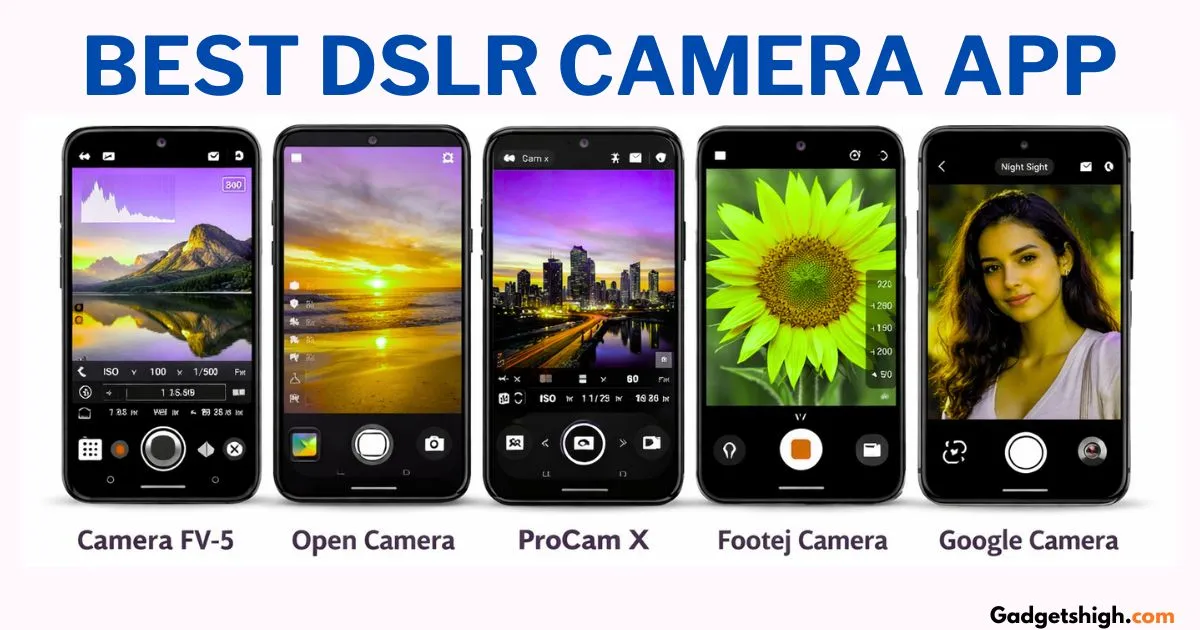
Discover the best DSLR camera app for Android. Learn about DSLR camera app features, the DSLR camera app, and the APK download guide.
Best DSLR Camera Apps for Android in 2026: Your Complete Download & Usage Guide
Turn Your Smartphone Into a Professional Camera by Gadgets High
Not everyone can afford a DSLR camera. And honestly, not everyone needs to carry one.
Smartphones have quietly become the primary camera for the majority of people in India and the gap between what a phone can capture and what a dedicated camera produces has been narrowing every year. But there’s still a meaningful difference in the level of control you have. Default camera apps are designed for convenience, not creativity. They make automatic decisions that often produce good results but rarely great ones.
That’s exactly the space that DSLR camera apps fill and at Gadgets High, they’re among the most consistently discussed tools in our mobile photography coverage.
This guide covers everything: what these apps actually do, which ones are worth downloading, how to get them safely, and how to use them to genuinely elevate your phone photography.
If you’re also looking for smartphone camera comparisons, check our detailed guide on best camera phones under ₹25000.
Whart Is a DSLR Camera App?
A DSLR camera app is a third-party mobile application that replaces or supplements your phone’s default camera software with a significantly more advanced control interface.
Where your default camera app makes most decisions automatically exposure, focus white balance, ISO a DSLR camera app hands those controls back to you. You decide how bright the image is, where the focus locks, how much background blur the shot gets, and how the camera handles light. The result is a photography experience that feels much closer to operating a dedicated camera than tapping a shutter button on a stock app.
Specific features that most quality DSLR camera apps offer include:
- Manual ISO control adjust sensor sensitivity for different lighting conditions
- Manual shutter speed control motion blur and exposure duration
- Manual focus decide exactly what the camera locks onto
- RAW file capture shoot in uncompressed formats for maximum editing flexibility
- White balance adjustment correct colour temperature for accurate natural results
- Background blur (Bokeh) create the shallow depth-of-field effect associated with portrait photography
None of this requires buying a ₹70,000 camera. With the right app and a reasonably capable smartphone, the gap closes considerably.
Why Are DSLR Camera Apps Worth Using?
The practical case for these apps is straightforward.
DSLR cameras are expensive, bulky, and carry a learning curve that discourages many people from investing in them. A quality mirrorless or DSLR system starts at ₹40,000 for the body alone, and that’s before lenses, accessories, and storage.
DSLR camera apps, by contrast, are either free or cost a few hundred rupees. They run on the phone you already own. They’re light enough to carry everywhere. And they give you enough manual control to develop real photography skills skills that transfer directly if you ever do invest in a dedicated camera later.
For social media creators, travel photographers, students learning the craft, and anyone who wants more from their phone’s camera without a major financial commitment these apps represent genuine value.
Downloading DSLR Camera Apps: The Safe Way
Before listing the apps, it’s worth addressing how to download them correctly because this matters more than most people realise.
The recommended method: Google Play Store
For the overwhelming majority of users, the Play Store is where you should begin and end your search. Apps listed there have been reviewed by Google’s security processes, which significantly reduces the risk of downloading something that contains malware or compromises your device’s security. The installation process is straightforward, updates happen automatically, and uninstalling is clean.
About APK files
An APK is an Android application package file essentially the raw installer for an Android app. APK files allow you to install applications that aren’t available on the Play Store, or to install an older version of an app that worked better on your specific device.
There are legitimate reasons to use APK files, but there are real risks as well. Downloading APK files from unverified websites exposes you to malware, spyware, and applications that request unnecessary permissions to access your data. If you need to use an APK, Gadgets High strongly recommends sourcing it only from well-known, established repositories with strong community review histories.
For most users, most of the time: use the Play Store. It’s safer, simpler, and the app selection there covers every need in this guide.
The 5 Best DSLR Camera Apps for Android in 2026

1. Camera FV-5 — Best for Manual Control Enthusiasts
Camera FV-5 is the app that most closely replicates the experience of operating a physical DSLR through a phone screen. The interface is dense with controls ISO, shutter speed, exposure compensation, focus mode, white balance all accessible and adjustable in real time during shooting.
For someone who wants to genuinely understand photography fundamentals while using their phone, Camera FV-5 is an exceptional learning tool. The visual feedback as you adjust each parameter helps build intuition for how these settings interact, which is exactly how photographers develop their eye.
The interface takes a little time to get comfortable with, but that’s a feature rather than a drawback it means the app is giving you real control rather than simplifying things to the point of irrelevance.
Gadgets High Recommendation: The top pick for photographers who want maximum manual control and are serious about learning the craft. Start here if you want to genuinely understand what you’re doing behind the lens.
2. Open Camera — Best Free Option for All Devices
Open Camera earns its place on this list by doing something that sounds simple but is genuinely difficult: being completely free, consistently reliable, and performant across a wide range of Android devices including older, lower-specification phones.
The app is open-source, which means its code is publicly available for scrutiny a meaningful transparency advantage over proprietary applications. It offers a solid range of manual controls, RAW capture on supported devices, customisable on-screen buttons, and a clean interface that doesn’t overwhelm first-time users.
The fact that it runs well on budget Android phones makes it the most inclusive option on this list. You don’t need a flagship device to get meaningful improvements over your default camera app.
Gadgets High Recommendation: The best starting point for anyone who wants to try DSLR-style manual controls without spending anything. Also the top recommendation specifically for budget Android phones where heavier apps may stutter.
3. ProCam X — Best for Advanced Photographers
ProCam X is positioned at the more technically capable end of the DSLR app market built for users who have moved past the basics and want professional-grade output from their phone.
The app supports RAW capture, manual control across all major parameters histogram display for precise exposure monitoring, and a range of shooting modes that cover scenarios from long-exposure night photography to high-speed burst shooting. The interface is clean and well-organised despite the depth of features available.
For content creators who shoot product photography, portraits, or any work where image quality directly affects professional output ProCam X gives your phone camera the best possible chance of meeting those standards.
Gadgets High Recommendation The top pick for advanced users and content creators who need professional-level control and are comfortable investing time in mastering the app’s feature set.
4. Footej Camera — Best for Beginners
Not every user wants to learn manual photography fundamentals from day one. Some people simply want noticeably better photos than their default camera app produces without a steep learning curve.
Footej Camera is built for exactly that user. The interface is clean, uncluttered, and intuitive. The essential controls are accessible without being overwhelming. The default output quality is strong across a range of lighting conditions. Shooting with Footej Camera feels natural within minutes of first opening it.
The app also handles video well, making it useful for anyone who shoots both stills and short-form video content.
Gadgets High Recommendation: The most beginner-friendly option in this roundup. If you want meaningfully better results than your stock camera app without a learning investment, Footej Camera is where to start.
5. Google Camera (GCam) — Best for Computational Photography
Google Camera commonly referred to in enthusiast communities as GCam is a special case among DSLR apps. Rather than focusing primarily on manual controls, GCam’s strength lies in Google’s computational photography algorithms: the software intelligence that processes images after they’re captured.
The results in specific areas are exceptional. GCam’s Night Sight mode produces low-light photography that routinely outperforms what dedicated camera hardware alone can achieve. The Portrait mode generates background blur that looks natural and well-defined. Astrophotography mode on compatible devices captures night sky detail that would require serious equipment to match through traditional means.
The caveat: the official GCam app is optimised for Google’s own Pixel phones. For other Android devices, community-developed GCam ports exist — with varying levels of compatibility and stability depending on your specific device model.

Gadgets High Recommendation: The best choice for photographers who prioritise portrait and low-light photography quality. If your primary use cases are night photography and portrait work with natural-looking background blur, GCam is the most capable tool available on Android.
Quick Comparison: Which App Is Right for You?
| App | Best For | Cost | Works on Low-End Phones |
|---|---|---|---|
| Camera FV-5 | Manual control learners | Free / Paid Pro | Yes |
| Open Camera | Budget devices, all users | Free | Yes — optimised for it |
| ProCam X | Advanced / professional use | Paid | Moderate |
| Footej Camera | Beginners, casual users | Free / Paid | Yes |
| Google Camera | Night & portrait photography | Free | Device-dependent |
Choosing the Right App for Your Phone
One consideration that Gadgets High always emphasises: the best DSLR camera app isn’t a universal answer it depends on the combination of your phone’s hardware capability and your personal photography goals.
Older or budget phones: Open Camera is the safest, most reliable choice. It’s been optimised for lower-specification hardware and won’t push your device beyond its capabilities.
Mid-range phones (₹15,000 – ₹30,000): Camera FV-5 or Footej Camera both perform well. Choose based on whether you want more control or more simplicity.
Flagship phones: ProCam X and GCam both shine on high-specification hardware. If your phone has a capable sensor and processor, these apps help you extract the maximum quality from it.
Portrait and night photography focus: GCam’s computational photography algorithms are in a class of their own for these specific use cases.
Getting More from Your DSLR Camera App: Practical Tips
Downloading the app is the easy part. Here’s what Gadgets High recommends to actually improve your results:
Understand light before you understand settings. The single biggest factor in photo quality is lighting not app features, not megapixel count. Learn to identify good natural light: early morning, late afternoon, soft overcast conditions. The best app in the world produces mediocre results in bad light.
Use manual focus intentionally. Auto focus is convenient but it sometimes locks onto the wrong subject. Manual focus control — one of the key advantages of these apps lets you decide exactly what’s sharp in your frame.
Shoot RAW if your phone supports it. RAW files capture significantly more information than JPEGs, giving you far more flexibility when editing in Lightroom Mobile, Snapseed, or similar apps. The files are larger, but for important shots the quality difference is meaningful.
Lower your ISO in bright light. High ISO increases your camera’s sensitivity to light, which helps in dark conditions but also adds digital noise (grain) to your images. In daylight, keep ISO as low as possible for clean, detailed results.
Practice consistently. Manual settings feel overwhelming at first and become intuitive quickly. The learning curve is shorter than most people expect a few hours of deliberate practice makes the controls feel natural.
Benefits and Limitations: An Honest Assessment
What DSLR camera apps genuinely offer:
- Professional-level control over exposure, focus, and colour at zero or minimal cost
- A practical pathway to learning photography fundamentals
- Meaningful improvement over default camera apps for users willing to engage with the settings
- Video recording capabilities including HD and 4K on supported devices
Where the limitations lie:
- A phone’s sensor, lens, and optical system are fundamentally different from a dedicated camera’s no app changes that hardware reality
- Low-light performance, depth-of-field separation, and optical zoom capabilities are constrained by phone hardware
- Processing power affects how smoothly some features run particularly on older or budget devices
The honest summary: DSLR camera apps make your phone significantly more capable than its default settings allow. They cannot make a phone perform identically to a dedicated camera. For everyday photography, social media content, and casual creative work the gap between “app-enhanced phone camera” and “entry DSLR” is smaller than most people assume. For professional commercial work that demands the absolute best a dedicated camera remains the stronger tool.
Safety Reminder: Protecting Yourself When Downloading
Gadgets High returns to this point because it genuinely matters.
When searching for DSLR camera app APK files online, you will encounter numerous websites offering downloads for free. Many of these are legitimate. Some are not and the ones that aren’t may package malware alongside the app file, request excessive device permissions, or compromise your personal data.
The Gadgets High safety checklist:
- Default to the Google Play Store for all app downloads
- If using an APK, verify the source has an established reputation and community reviews
- Check app permissions after installation a camera app does not need access to your contacts, messages, or financial data
- Read recent user reviews before downloading anything from an unfamiliar source
- If an app requests unusual permissions during installation, decline and find an alternative
Your phone’s security is worth more than any free app.
Pros & Cons (Google loves this)
Pros of DSLR Camera Apps
- Full manual control
- Better low-light performance (with right settings)
- RAW support for editing
- Professional-level output
Limitations
- Requires learning
- Not all features work on all phones
- Cannot replace real DSLR hardware
Frequently Asked Questions
What does a DSLR camera app actually do?
It gives your phone’s camera manual controls ISO, shutter speed, focus, white balance that the default camera app handles automatically. This level of control produces significantly better results in the hands of someone who understands how to use it.
Are there good free DSLR camera apps?
Yes. Open Camera is completely free and excellent. Camera FV-5 has a capable free version. Google Camera is free for compatible devices. You don’t need to spend money to meaningfully improve your phone photography.
Where is the safest place to download these apps?
Google Play Store, without question. For APK files specifically, use only established, community-reviewed repositories and exercise caution about permissions.
Is downloading a DSLR app APK safe?
It can be, from the right sources. From unknown websites, it carries real security risks. Gadgets High recommends the Play Store as the default, and APK downloads only from sources with verifiable reputation.
Which is the best DSLR camera app for Android?
For manual control: Camera FV-5. For free all-device compatibility: Open Camera. For advanced features: ProCam X. For portrait and night photography: Google Camera. For beginners: Footej Camera.
Do these apps produce results as good as a real DSLR?
They produce significantly better results than your default camera app, and for many use cases the gap with entry-level DSLRs is genuinely small. For professional commercial work, a dedicated camera still has meaningful advantages.
Do these apps work on low-end Android phones?
Open Camera is specifically designed to run well on lower-specification hardware. Most other apps work on mid-range devices. ProCam X and GCam benefit from higher-specification processors.
Can I record video with DSLR camera apps?
Yes most apps on this list support HD and 4K video recording on compatible devices. Manual control over video settings is also available in apps like Camera FV-5 and ProCam X.
Are these apps suitable for beginners?
Completely. Footej Camera and Open Camera are both beginner-friendly. Even more advanced apps like Camera FV-5 become intuitive within a few practice sessions.
The Gadgets High Final Word
Your phone’s camera is more capable than its default app lets it be. That’s the honest, simple case for DSLR camera apps and it’s why the Gadgets High community keeps returning to this topic.
Whether you’re a student learning the fundamentals of photography, a content creator who wants stronger visuals without the investment of a dedicated camera, or simply someone who takes a lot of photos and wants more control over the results there’s an app on this list that matches your level and your needs.
The Gadgets High recommended starting points:
- Complete beginners: Footej Camera or Open Camera
- Learning manual photography: Camera FV-5
- Budget Android phones: Open Camera
- Portrait and low-light focus: Google Camera (GCam)
- Advanced creators: ProCam X
Download from the Play Store, start with the app that matches your level, spend time with the manual controls, and watch the quality of your phone photography change measurably.
Real Use Case: What We Noticed During Testing
During our testing:
- Open Camera performed best on low-end devices with smooth performance
- Camera FV-5 gave maximum manual control, but required learning
- ProCam X delivered professional-level output, especially for product photography
- GCam produced the best night photos, even on mid-range phones.
Final Recommendation (Gadgets High)
If you’re just starting:
Go with Open Camera
If you want to learn photography:
Choose Camera FV-5
If you want best night photos:
Try Google Camera (GCam)
Conclusion:
No single app is best for everyone it depends on your phone and usage.
For more mobile photography guides, app reviews, and honest tech recommendations across every budget Gadgets High is where informed readers come to level up their skills and their gear.
