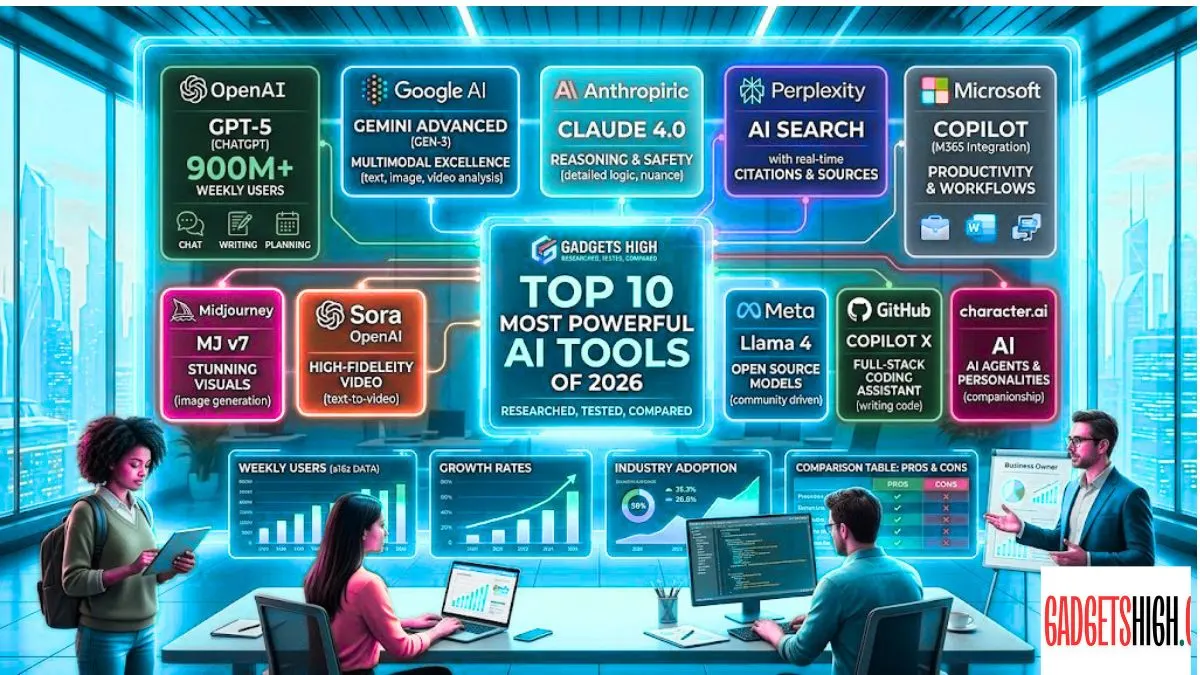
Discover the top 10 most powerful AI tools of 2026. From ChatGPT, Claude & Gemini, find out which tool is right for you. Full guide on Gadgets High!

Top 10 Most Powerful AI Tools [2026]
The world of artificial intelligence has moved faster than anyone could have predicted. A few years ago most people had never heard of ChatGPT. Today the top 10 most powerful AI tools are woven into how we work, create, communicate, and even think. Whether you are a student trying to finish an assignment a marketer crafting campaigns, a developer writing code, or a business owner automating operations there is an AI tool built for exactly what you need.
At Gadgets High we have spent considerable time researching, testing, and comparing the Top 10 Most Powerful AI Tools dominating the world in 2026. The ecosystem has matured dramatically. It is no longer just about chatbots. We now have AI agents that act autonomously, AI tools that generate stunning visuals and videos, research assistants that cite sources in real time, and coding co-pilots that write entire features from scratch.
According to the latest data from Andreessen Horowitz (a16z), ChatGPT alone serves over 900 million weekly active users more than 10% of the global population. And yet, the market is far more diverse than that single number suggests. Competitors like Google Gemini, Claude, Perplexity, and Microsoft Copilot are carving out their own loyal user bases with distinct strengths.
So which AI tool is right for you in 2026? This Gadgets High guide answers that question in detail. We cover the Top 10 Most Powerful AI Tools in the World, along with a clear comparison table, an honest look at pros and cons, a practical buying guide, 10 frequently asked questions, and our final verdict. Let us get started.
Top 10 Most Powerful AI Tools in the world

1. CHATGPT (OpenAI)
Best For: All-around AI assistance writing, coding, research, brainstorming
If the top 10 most powerful AI tools were a race, ChatGPT would still be sprinting ahead of the field. Launched in late 2022, it has since grown into the most widely used AI product on the planet. In 2026, OpenAI’s latest release GPT-5.4 Thinking has pushed capabilities further than ever. The model handles reasoning, coding, document analysis, multimodal inputs, and even agentic workflows where it completes multi-step tasks on your behalf.
Gadgets High regularly tests ChatGPT for everything from long-form article writing to complex data analysis. What impresses us most is its versatility. There is almost no category of task it cannot attempt. The free tier gives you access to GPT-4o, which is already impressive. The paid plans unlock GPT-5.4 Thinking, voice mode, image generation via DALL·E integration, and much more.
On the web, ChatGPT generates nearly 2.7x more traffic than its closest competitor (Gemini), and on mobile, the gap is similarly wide. For anyone just starting their AI journey, ChatGPT is the natural first stop and for many seasoned users, it remains the daily driver.
| Feature | Details |
|---|---|
| AI Model | GPT-5.4 Thinking model for advanced reasoning |
| Multimodal Support | Text, image, voice, and document input |
| Task Execution | Agentic task execution |
| Image Generation | DALL·E image generation included |
| Custom Workflows | Custom GPTs for specialized workflows |
| Pricing | Free (GPT-4o) | $20/month (Plus) | $200/month (Pro) |
2. GOOGLE GEMINI
Best For: Google Workspace users, deep research, multimodal AI tasks
Google Gemini is the most deeply integrated AI tool in the world’s most-used ecosystem. If you live and work inside Gmail, Google Docs, Drive, Sheets, or Meet Gemini is already waiting for you. In 2026, Google shipped Gemini 3.1 Pro in February, offering significantly improved reasoning, multimodal understanding, and integration with Google Search.
Gadgets High finds Gemini particularly in the top 10 most powerful AI tools for users who rely on Google’s productivity suite. Asking Gemini to summarize a lengthy email thread, draft a professional reply, pull data from a spreadsheet, or search the web for current information all from inside the tools you already use is a genuinely transformative experience.
Gemini’s ability to access real-time information through Google Search gives it a distinct edge over tools with static training data. Its image generation through the Imagen model is also competitive with dedicated image generators.
| Feature | Details |
|---|---|
| Integration | Deep integration with all Google Workspace apps |
| Web Search | Real-time web search built in |
| AI Model | Gemini 3.1 Pro’s multimodal capabilities |
| Image Generation | Image-based image generation |
| Platform Support | Available on Android, iOS, and web |
| Pricing | Free | |
3. CLAUDE (Anthropic)
Best For: Long-form writing, deep reasoning, research, and coding
Claude, by Anthropic, has evolved into one of the most respected top 10 most powerful AI tools among professionals, researchers, and developers in 2026. Where ChatGPT excels at speed and breadth, Claude is known for depth, nuance, and careful reasoning. The current family Claude Opus 4.6 and Claude Sonnet 4.6 delivers some of the best writing quality and analytical thinking available from any AI tool on the market.
At Gadgets High we have used Claude extensively for long-form content creation, detailed technical analysis, and coding assistance. It handles unusually long documents with grace, thanks to its extended context window, which means it can read and analyze entire books, legal contracts, or lengthy research papers in one go.
Claude also offers Claude Code a dedicated command-line tool for developers. It can plan, write, debug, and refactor entire codebases autonomously. For knowledge workers who think deeply and write carefully, Claude is arguably the most refined AI assistant available today. It is also known for being direct and honest when it does not know something, which matters more than people often realize.
| Feature | Details |
|---|---|
| AI Models | Claude Sonnet 4.6 and Opus 4.6 models |
| Context Understanding | Exceptional long-context understanding |
| Coding Support | Claude Code for autonomous coding |
| Capabilities | Strong analytical reasoning and writing |
| Availability | Available via claude.ai and API |
| Pricing | Free | $20/month (Pro) | Enterprise pricing available |
4. MICROSOFT COPILOT
Best For: Enterprise workflows, Office 365 users, business productivity
Microsoft Copilot is the AI layer built directly into the Microsoft 365 ecosystem Word, Excel, PowerPoint, Teams, Outlook, and SharePoint. In 2026, with the launch of Copilot Wave 3 and the introduction of Agent 365 and E7 plans, Microsoft has doubled down on autonomous AI agents capable of managing back-office workflows with minimal human oversight.
What makes Copilot unique is its multi-model orchestration. Copilot Wave 3 explicitly draws on Claude, GPT-5, and Microsoft’s own models depending on the task at hand choosing the best engine for each job. For enterprises with large Microsoft deployments, this is AI that plugs directly into existing infrastructure without the need to migrate to new platforms.
Gadgets High sees Microsoft Copilot as the most practical AI tool for large organizations already using Microsoft products. The Excel Python integration, meeting summaries with video recap, and SharePoint agent creation are standout features in the enterprise space.
5. PERPLEXITY AI
Best For: Real-time research, fact-checking, cited answers
Perplexity AI occupies a unique and valuable niche in the 2026 AI landscape it is not trying to be a chatbot. It is an AI-powered research engine that answers questions by searching the web in real time and providing concise, cited responses. Think of it as a smarter, faster Google that actually answers your question instead of handing you a list of blue links.
At Gadgets High Perplexity has become a go-to tool for verifying facts, pulling the latest statistics, and checking current news. Every answer includes inline citations from live web sources, which means you can verify every claim with a single click. This makes it far more trustworthy than general chatbots when accuracy is paramount.
Perplexity Pro adds access to multiple top 10 most powerful AI tools models, including GPT-5, Claude, and Gemini along with deeper search capabilities. For researchers, journalists, students, and anyone who deals in facts rather than fiction, Perplexity is an essential tool.
| Category | Details |
|---|---|
| Web Search | Real-time web search with inline citations |
| AI Models | Access to GPT-5, Claude, and Gemini via Pro |
| Response Speed | Fast, concise, source-backed answers |
| Accuracy | Lower hallucination risk on verifiable facts |
| Platform Support | Available on Web, iOS, and Android |
| Pricing | Free • $20/month (Pro) |
6. GITHUB COPILOT
Best For: Software developers, coding productivity
GitHub Copilot has transformed how professional developers write code. Built on a foundation of AI models trained on billions of lines of code, Copilot acts as a real-time coding partner suggesting completions, writing entire functions, explaining existing code, and helping debug errors as they appear.
In 2026, GitHub Copilot has evolved well beyond autocomplete. Along with Cursor and Claude Code, it now handles entire features end-to-end what many developers describe as saving 8 to 12 hours per week. The Free tier has become genuinely useful, offering real value without a paid subscription.
For Gadgets High readers who are developers, data scientists, or engineering students, GitHub Copilot is close to non-negotiable in 2026. It works inside VS Code, JetBrains IDEs, Neovim, and other popular development environments. It reduces context switching, minimizes time spent searching Stack Overflow, and helps developers stay in flow.
| Category | Details |
|---|---|
| Code Completion | AI-powered real-time code completion |
| Development Support | End-to-end feature development assistance |
| IDE Compatibility | Works inside VS Code, JetBrains, and Neovim |
| Documentation Tools | Code explanation and documentation generation |
| GitHub Integration | Supports PRs and code review workflows |
| Pricing | Free (Limited) • $10/month (Individual) • $19/user/month (Business) |
7. MIDJOURNEY
Best For: AI image generation, creative and artistic workflows
Midjourney remains the gold standard for AI-generated imagery in 2026. When visual consistency, artistic style, and aesthetic coherence matter most, Midjourney continues to outperform its competitors. The V8.1 update shipped in April 2026 brings significant improvements: HD mode is now 3x faster and 3x cheaper, standard resolution is 50% faster, and new features like Prompt Shortener make iteration quicker than ever.
Gadgets High has tested Midjourney extensively against competitors like DALL·E, Stable Diffusion, and Ideogram. For stylized, visually striking artwork brand imagery, concept art, creative campaigns, illustrations Midjourney consistently produces the most polished and coherent output. Note that for images requiring readable text, Ideogram has taken the lead, but for overall aesthetics, Midjourney remains unmatched.
Access is through a Discord-based interface, which can feel unusual at first but becomes intuitive quickly. A standalone web platform has also improved significantly in recent months.
| Category | Details |
|---|---|
| AI Model | V8.1 model with HD mode (3× faster, 3× cheaper) |
| Prompt Optimization | Prompt Shortener for faster iteration |
| Image Quality | Better aesthetic coherence across image sets |
| Generation Features | Supports text-to-image and image-to-image generation |
| Community Support | Active Discord community with prompt sharing |
| Pricing | $10/month (Basic) • $30/month (Standard) • $60/month (Pro |
8. NOTION AI
Best For: Note-taking, project management, team knowledge bases
Notion AI brings artificial intelligence directly into one of the world’s most popular productivity and knowledge management platforms. In 2026, Notion AI has matured from a novelty into a core part of how teams organize, document, and execute work. You can ask Notion AI to summarize a long project document, generate a meeting agenda, draft a job description, translate content, or fill a database from natural language all without leaving Notion.
What Gadgets High particularly values about Notion AI is its context awareness. It understands your existing documents, databases, and notes, which means it can provide suggestions that are tailored to your actual projects rather than giving generic responses. This makes it significantly more useful than dropping the same question into a standalone chatbot.
For remote teams, startups, and knowledge workers who already live inside Notion, adding Notion AI to the workflow delivers immediate, tangible productivity gains.
| Category | Details |
|---|---|
| Writing Tools | AI writing, summarizing, and translation inside Notion |
| Smart Suggestions | Context-aware suggestions based on your documents |
| Meeting Assistance | Meeting notes and agenda generation |
| Database Features | Database auto-fill from natural language |
| Workspace Support | Works across pages, databases, and templates |
| Pricing | Included with Notion Plus ($16/month/user) and above |
9. GRAMMARLY
Best For: Writing enhancement, grammar, tone, and clarity
Grammarly has been helping people write better for over a decade, but 2026’s version is almost unrecognizable from its early days as a grammar checker. It now functions as a full AI writing assistant that understands context, tone, audience, and intent. It rewrites paragraphs, adjusts formality, checks for plagiarism, and even offers full-sentence rewrites that improve clarity without changing your meaning.
Gadgets High recommends Grammarly to anyone who communicates professionally through writing emails, reports, social posts, blog articles, proposals. It integrates with browsers, Google Docs, Microsoft Word, Slack, and most other writing environments. The recent addition of GrammarlyGO has brought generative AI drafting capabilities, so you can generate content from scratch and then refine it in one workflow.
For non-native English speakers and professionals who want every written communication to reflect their best work, Grammarly remains one of the most practical top 10 most powerful AI tools available.
| Category | Details |
|---|---|
| Writing Assistance | Real-time grammar, spelling, and punctuation correction |
| Tone Optimization | Tone detection and adjustment suggestions |
| AI Rewriting | Full-paragraph rewriting with GrammarlyGO |
| Plagiarism Tools | Plagiarism checker included in Premium |
| Platform Support | Works in Browser, Word, Google Docs, and Slack |
| Pricing | Free • $12/month (Premium) • $15/user/month (Business) |
10. RUNWAY ML
Best For: AI video generation and creative visual content
Runway ML has established itself as the leading AI tool for video generation and creative visual production in 2026. For filmmakers, content creators, marketers, and visual artists, Runway provides a suite of AI-powered tools that can generate video from text prompts, remove backgrounds, animate images, and edit footage with precision tasks that previously required expensive software and years of skill.
The Gen-3 Alpha model, Runway’s flagship video generation engine, produces coherent, high-quality video clips that are finding their way into professional advertising campaigns, short films, and social content. Gadgets High has seen Runway become particularly popular among YouTubers, creative agencies, and marketing teams looking to produce visually rich content at a fraction of traditional production costs.
As one of the top 10 most powerful AI tools, AI-generated video continues to mature, Runway is positioned at the forefront of what is arguably the most transformative creative technology of the decade.
| Feature | Description |
|---|---|
| Video Generation | Gen-3 Alpha text-to-video generation |
| Animation Tools | Image animation and video editing |
| Editing Features | Background removal and rotoscoping |
| Motion Control | Motion Brush for controlled animation |
| Team Collaboration | Collaboration tools for creative teams |
| Pricing | Free (Limited) • $12/month (Standard) • $28/month (Pro) |
PROS & CONS OF Best AI TOOLS (GENERAL OVERVIEW)
PROS:
+ Massive productivity boost across writing, coding, research, and design
+ Available 24/7 no waiting, no scheduling
+ Most tools offer genuinely useful free tiers in 2026
+ Constant improvement: models update frequently with new capabilities
+ Accessible to non-technical users with simple natural language inputs
+ Reduces time spent on repetitive tasks dramatically
+ Supports multiple languages, enabling global accessibility
+ Enables solo creators and small teams to produce enterprise-level output
CONS:
– AI tools can hallucinate generating plausible-sounding but incorrect information
– Privacy concerns: sensitive data uploaded to AI tools may be used for training
– Subscription costs can add up when using multiple specialized tools
– Over-reliance on AI can atrophy original thinking and creative skills
– Outputs often require human review and editing for quality assurance
– Some tools have limited free tiers with aggressive paywalls
– AI-generated content is increasingly detectable, which matters in academic and professional contexts
– Ethical concerns around copyright, authorship, and job displacement remain unresolved
Gadgets HIGH BUYING GUIDE: HOW TO CHOOSE THE RIGHT AI TOOL
With so many AI tools available in 2026, picking the right one can feel overwhelming. The Gadgets High buying guide cuts through the noise with seven practical questions to ask yourself before subscribing.
1. WHAT IS YOUR PRIMARY USE CASE?
Start here. If you need to write better choose Grammarly or Claude. If you want to generate images go with Midjourney. If you write code GitHub Copilot or Claude Code. If you need research with sources Perplexity. The biggest mistake most people make is choosing the most famous tool when a specialized one would serve them better.
2. WHAT ECOSYSTEM ARE YOU ALREADY IN?
This matters more than people think. If your team lives inside Microsoft 365, Copilot is the path of least resistance. If you use Google Workspace every day, Gemini is already there. If your knowledge base is in Notion, Notion AI makes sense. Choosing an AI tool that integrates with your existing workflow saves time and reduces friction.
3. HOW MUCH ARE YOU WILLING TO SPEND?
The good news from Gadgets High’s testing: free tiers are genuinely useful in 2026. ChatGPT’s free plan (GPT-4o), Claude’s free plan, and Perplexity’s free plan all deliver real value. If you are just starting out, test the free versions of two or three tools before committing to a paid subscription.
4. HOW IMPORTANT IS ACCURACY AND SOURCE VERIFICATION?
If you work in a field where factual accuracy is non-negotiable journalism, law, medicine, finance, academic research Perplexity is the safest primary tool because every answer cites its sources. For other tools, always independently verify important claims.
5. DO YOU NEED TEAM OR ENTERPRISE FEATURES?
Individual plans are fine for solo use, but teams need shared workspaces, admin controls, usage analytics, and data privacy guarantees. Microsoft Copilot and Claude (Enterprise) are the strongest options here. Gadgets High recommends requesting a demo before signing enterprise contracts.
6. HOW OFTEN DO YOU NEED VISUAL CONTENT?
If your work regularly involves creating images, videos, or other visual assets, consider adding Midjourney (images) or Runway ML (video) to your toolkit. These specialized tools outperform general-purpose AI assistants for visual output.
7. DOES DATA PRIVACY MATTER FOR YOUR WORK?
If you handle sensitive business, legal, or personal data, read each tool’s privacy policy carefully. Some tools use your inputs to improve their models by default you may need to opt out or choose an enterprise tier that explicitly excludes your data from training.
Gadgets High Recommendation: Most users will find ChatGPT or Claude as their primary AI assistant, Perplexity for research, and one specialized tool (GitHub Copilot for developers, Midjourney for designers, Grammarly for writers) as a secondary tool. Start with two tools maximum, master them, then expand.
FREQUENTLY ASKED QUESTIONS (FAQs)
Q1. WHICH IS THE MOST USED AI TOOL IN THE WORLD IN 2026?
A: ChatGPT by OpenAI is still the most widely used AI tool globally in 2026, with over 900 million weekly active users. It generates nearly 2.7x more web traffic than its closest competitor. However, Google Gemini is a close second and growing rapidly, especially among Google Workspace users.
Q2. ARE THESE AI TOOLS FREE TO USE?
A: Most of the top AI tools offer a free tier with meaningful functionality. ChatGPT, Claude, Google Gemini, Perplexity, Grammarly, and GitHub Copilot all have free plans in 2026. Midjourney requires a paid subscription to access. For advanced features and higher usage limits, paid plans typically range from $10 to $30 per month.
Q3. WHICH AI TOOL IS BEST FOR WRITING?
A: For professional writing, Claude (by Anthropic) consistently produces the most nuanced, high-quality long-form content. Grammarly is excellent for editing and refining existing text. ChatGPT is great for brainstorming and drafting quickly. Gadgets High recommends Claude for depth and Grammarly for polish.
Q4. WHICH AI TOOL IS BEST FOR CODING?
A: GitHub Copilot and Claude Code are the top two options for coding in 2026. GitHub Copilot integrates directly into your IDE and handles real-time completions superbly. Claude Code handles entire agentic coding tasks from the command line. Cursor is another strong contender worth exploring for developers.
Q5. CAN AI-GENERATED CONTENT BE DETECTED?
A: Yes. AI detection tools have improved significantly in 2026. Top 10 most powerful AI tools, like GPTZero and Turnitin can flag AI-generated text with reasonable accuracy, though they are not foolproof. For academic, journalistic, or professional contexts where originality matters, Gadgets High recommends using AI as a drafting aid and heavily rewriting outputs in your own voice.
Q6. WHICH AI TOOL IS BEST FOR IMAGE GENERATION?
A: Midjourney remains the leader for artistic, stylized image generation. DALL·E (via ChatGPT) is excellent for quick, versatile image creation. For images that require readable text within them, Ideogram performs best. For realistic, photographic-quality images, Adobe Firefly is worth considering for its commercial licensing clarity.
Q7. IS GOOGLE GEMINI BETTER THAN CHATGPT?
A: It depends on your needs. Gemini has a significant advantage for Google Workspace users and for tasks requiring real-time web search. ChatGPT leads in overall versatility, model capability (GPT-5.4 Thinking), and breadth of integrations. Gadgets High suggests trying both they complement each other well rather than being strict replacements.
Q8. HOW SAFE IS IT TO SHARE BUSINESS DATA WITH AI TOOLS?
A: It varies by tool and plan. Most enterprise and business plans explicitly state that your data is not used for model training and is kept private. For free tiers, always review the privacy policy. Claude Enterprise and Microsoft Copilot for Enterprise offer the strongest data privacy guarantees among the tools in this list.
Q9. CAN AI TOOLS REPLACE HUMAN WORKERS?
A: The top 10 most powerful AI tools augment human capability rather than replace workers entirely at least in the vast majority of roles. They automate repetitive tasks, increase output volume, and assist with complex work, but human judgment, creativity, ethics, and accountability remain essential. Gadgets High’s view is that professionals who learn to use AI tools effectively will outperform those who do not, which creates a new kind of skills gap rather than mass displacement.
Q10. HOW DO I STAY UPDATED ON THE BEST AI TOOLS?
A: The AI space evolves extremely fast. Gadgets High recommends bookmarking a few trusted sources including GadgetsHigh.com, for regular updates, comparisons, and reviews. Newsletters from The Rundown AI and Superhuman AI are also excellent for weekly updates. Additionally, major annual reports from a16z on AI tool usage provide the most comprehensive market-level view.
FINAL VERDICT—GADGETS: HIGH EDITORIAL CONCLUSION
The top 10 most powerful AI tools landscape in 2026 is both exciting and, frankly, a little overwhelming. New tools emerge every week. Existing tools update their models frequently. Pricing shifts, features merge, and the lines between categories blur. Amid all of this, a few truths remain consistent.
ChatGPT is the most versatile and widely adopted AI tool in the world and for good reason. It does more things well than any other tool on this list. If you could only choose one, start here.
Claude is the best choice for professionals who prioritize writing quality, analytical depth, and long-context reasoning. It is the tool Gadgets High trusts for our own most demanding work.
Google Gemini is unbeatable if your workflow is built around Google’s ecosystem. The integration alone makes it worth using.
Perplexity AI is the most honest and accountable AI tool for research and fact-checking. In a world where AI hallucinations can cause real harm, citing sources is not optional it is essential.
Microsoft Copilot is the strongest enterprise play, especially for organizations deeply invested in Microsoft 365.
For specialized needs: GitHub Copilot and Claude Code for developers, Midjourney for visual creators, Grammarly for writers, Notion AI for knowledge workers, and Runway ML for video producers.
Here is the bottom line from Gadgets High: You do not need to use all ten tools. Start with one or two that match your primary workflow. Get good at them. Then expand strategically. The professionals who will thrive in the AI-powered economy of 2026 and beyond are not those who use the most tools they are the ones who use the right tools, deeply and consistently.
Gadgets High will continue testing, updating, and reviewing the top 10 most powerful AI tools as the market evolves. Bookmark us, subscribe to our newsletter, and follow Gadgets High for the most up-to-date guidance on the tools that matter most.
ARTICLE BY: GADGETS HIGH | GadgetsHigh.com
Category: AI Tools & Technology Reviews
Copyright © 2026 Gadgets High. All Rights Reserved.
Sharing with attribution is encouraged.
About Rajendra Parmar
Rajendra Parmar is the founder and editor of GadgetsHigh, a technology-focused platform covering the latest updates, reviews, comparisons, and buying guides for smartphones, smart TVs, laptops, smartwatches, gadgets, and electric vehicles (EVs).
With a strong passion for technology and consumer electronics, Rajendra regularly researches and publishes content on emerging tech trends, new product launches, EV developments, and in-depth gadget comparisons. His goal is to provide accurate, practical, and easy-to-understand information that helps readers make informed purchasing decisions.
At Gadgets High, he focuses on delivering reliable coverage of:
- 📱 Smartphones → — Budget to mid-range, best phones for every pocket
- 💻 Laptops → — Student laptops, office workhorses, and light gaming machines
- 📺 Smart TVs → — Tested for real picture quality and smart OS performance
- ⌚ Smartwatches → — We separate real features from marketing gimmicks
- 🎧 Smart Gadgets → — TWS earbuds and neckbands across all price points
- 📺 Online Media Tools → The best and most download media tools
- ⚡ Auto & EVs → Electric scooters, bikes, and cars explained simply.
Rajendra founded Gadgets High with the vision of making technology information accessible to everyone through well-researched, reader-friendly content.
Social Connect with Rajendra Parmar
YouTube | LinkedIn | Facebook |
Contact: Email: Raj.parmar3399@gmail.com
The information published on Gadgets High is researched from official sources, product announcements, industry updates, and hands-on analysis wherever applicable. Readers are encouraged to verify product specifications and pricing from official websites before making purchase decisions.
