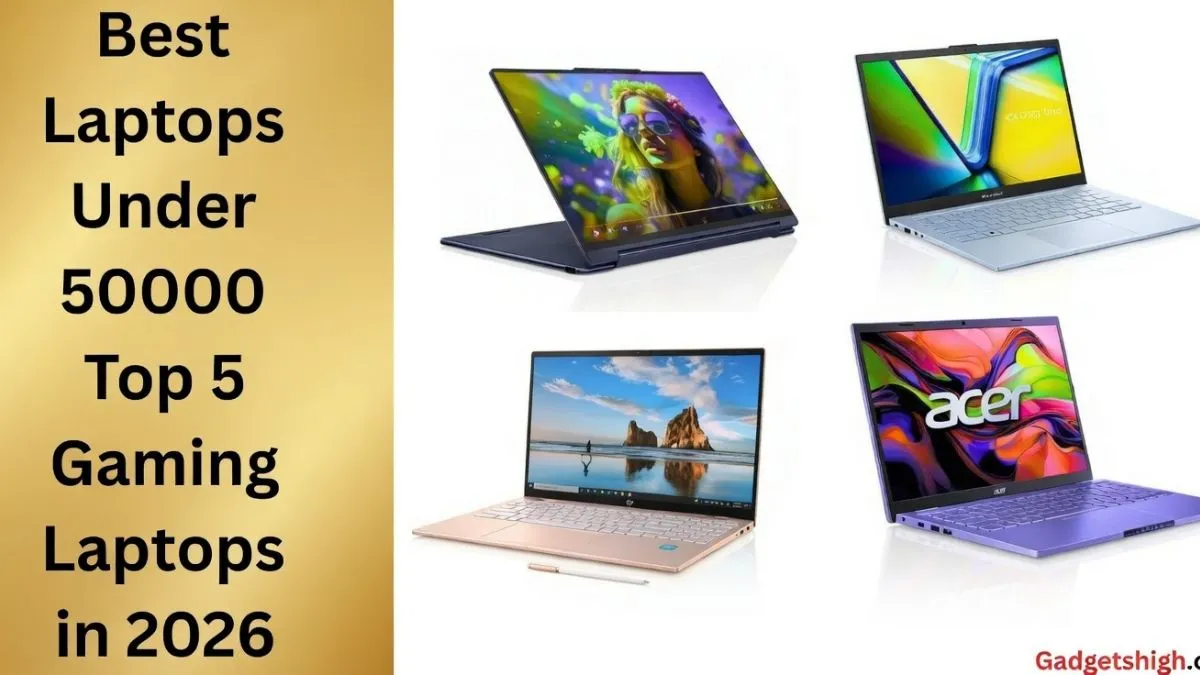
Discover the best laptops under 50000 with complete specs! Find the best gaming laptops, the latest models & the top 5 laptops in India in 2026.
Best Laptops Under 50000 in 2026: The Only Guide You Need
Curated by Gadgets High | Expert Picks for Students, Professionals & Gamers
Finding a genuinely good laptop under 50000 has never been easier and never been more confusing. The market is flooded with options, every spec sheet looks impressive on paper, and one wrong decision leaves you stuck with a machine that frustrates you every single day.
At Gadgets High we’ve done the legwork for you. Our experts have analysed the current market, tested real-world performance, and narrowed the field down to the laptops that actually deliver on their promises at this price point. Whether you’re a student, a working professional, a programmer, or a casual gamer there’s a right answer here for you.
What to Look for Before You Buy
Before jumping into recommendations, let’s establish what actually matters in a sub-₹50,000 laptop. Price alone never tells the full story.
Display: Aim for a Full HD (1920×1080) IPS panel. IPS technology gives you better colour accuracy and wider viewing angles compared to cheaper TN panels and you’ll appreciate it during long study or work sessions.
Processor: AMD Ryzen 5 or Intel Core i5 are the sweet spots at this budget. They handle everyday multitasking, light creative work, and coding without breaking a sweat. Ryzen 7 is a bonus if you can find it within budget.
RAM: 8GB is the minimum you should accept in 2026. 16GB is significantly better and genuinely future-proofs your machine for the next three to four years.
Storage: A 512GB SSD is now essentially standard and non-negotiable. SSD-equipped laptops boot faster, open applications quicker, and feel dramatically more responsive than older HDD machines.
Battery & Warranty: Often overlooked, but critical. A laptop with a weak battery or poor after-sales support will cost you more in the long run than the money you save upfront.
With those benchmarks in mind, here are the Gadgets High top picks for 2026.
Top 5 Laptops Under ₹50,000 — 2026 Edition
1. Lenovo IdeaPad Slim 3 15ABR8 — Best Overall
Price: ~₹41,490
If we had to pick just one laptop to recommend unconditionally in this budget, the Lenovo IdeaPad Slim 3 would be it. Lenovo has built a well-deserved reputation for reliability over years of consistent quality, and the Slim 3 carries that tradition forward impressively.
Key Specifications:
| Spec | Detail |
|---|---|
| Processor | AMD Ryzen 5 / Ryzen 7 (up to 4.5GHz Turbo) |
| Operating System | Windows 11 Home |
| RAM | 8GB / 16GB DDR4-3200 |
| Storage | 512GB PCIe NVMe SSD |
| Display | 15.6″ Full HD (1920×1080) Anti-glare |
| Graphics | Integrated AMD Radeon |
| Battery | 47Wh with 65W charger |
| Weight | ~1.62kg |
The Ryzen processor handles daily computing tasks spreadsheets, video calls, research, light photo editing with smooth, consistent performance. The anti-glare Full HD display makes extended work sessions genuinely comfortable. At under ₹42,000, this machine offers a level of dependability that justifies the price many times over.
Gadgets High Verdict: The benchmark against which every other laptop in this category should be measured. Our top pick for students and everyday users alike.
2. Dell Latitude 5440 — Best for Business & Professionals
Price: ~₹42,389
If you work in a corporate environment, run your own business, or need a laptop that can be relied upon in professional settings day after day the Dell Latitude 5440 is in a class of its own at this price.
Key Specifications:
| Spec | Detail |
|---|---|
| Processor | 13th Gen Intel Core i5 / i7 (up to 5.2GHz Turbo) |
| Operating System | Windows 11 Pro / Home |
| RAM | 8GB / 16GB / up to 64GB DDR4 or DDR5 |
| Storage | 256GB to 2TB PCIe NVMe SSD options |
| Display | 14″ Full HD (1920×1080) Anti-glare IPS |
| Graphics | Intel Iris Xe |
| Connectivity | Thunderbolt 4, USB-A, HDMI, Wi-Fi 6E, Bluetooth |
| Extras | Backlit keyboard, fingerprint reader |
The Latitude series is Dell’s business-grade line, built to enterprise durability standards. Thunderbolt 4 connectivity means blazing-fast data transfer and external display support. Wi-Fi 6E ensures you’re on the fastest wireless standard currently available. The fingerprint reader and Windows 11 Pro support add a layer of security that matters in professional contexts.
This isn’t just a laptop it’s a long-term professional investment.
Gadgets High Verdict: The clear choice for professionals, executives, and anyone who needs a machine that performs reliably across years of heavy use. Dell’s build quality at this price point is genuinely difficult to beat.
3. Acer Aspire Lite Ryzen 7 — Best Performance
Price: ~₹44,490
When raw computing power is your priority — heavy multitasking, programming, data work, or creative applications — the Acer Aspire Lite with Ryzen 7 is where this budget truly shines.
Key Specifications:
| Spec | Detail |
|---|---|
| Processor | AMD Ryzen 7 7730U (up to ~4.5GHz Turbo) |
| Operating System | Windows 11 Home |
| RAM | 16GB / 32GB DDR4 |
| Storage | 512GB NVMe SSD |
| Display | 15.6″ Full HD (1920×1080) |
| Graphics | Integrated AMD Radeon |
| Weight | ~1.7kg |
The Ryzen 7 processor is the star here. It handles demanding workloads multiple browser tabs, IDE environments, video editing, and complex data processing without the slowdowns you’d normally accept at this price. The 16GB RAM standard configuration means you won’t be reaching for a RAM upgrade anytime soon.
For programmers and students in technical fields, this machine removes the hardware ceiling that frustrates so many budget laptop users.
Gadgets High Verdict If performance is your single biggest priority and you’re willing to pay slightly more within this budget, the Acer Aspire Lite Ryzen 7 is the answer. It genuinely punches above its weight class.
4. Acer One 14 (Core i3) — Best Budget Entry Point
Price: ~₹21,699
Not everyone needs a powerhouse. If you’re a first-year student, someone buying their first laptop, or a light user who primarily browses, watches content, and manages documents the Acer One 14 gets the job done at a price that’s genuinely accessible.
Key Specifications:
| Spec | Detail |
|---|---|
| Processor | 11th Gen Intel Core i3-1115G4 |
| Operating System | Windows 11 Home |
| Display | 14″ Full HD IPS (1920×1080) |
| RAM | 8GB / 32GB DDR4 |
| Storage | 256GB / 512GB NVMe SSD |
| Graphics | Intel UHD Graphics |
| Battery | ~45.5Wh (up to 11 hours) |
| Weight | ~1.5kg |
At under ₹22,000, the Acer One 14 offers the essentials done right a Full HD IPS display, SSD storage, and a battery that legitimately lasts through a full academic day. It’s light, portable, and practical.
Gadgets High Verdict The smartest entry-level pick in this entire roundup. For students on a tight budget who need a reliable machine for basic computing needs, this is where Gadgets High would start.
5. ASUS VivoBook Go 14 — Best for Modern Portability
Price: ~₹36,414
The ASUS VivoBook Go 14 is built for users who are always on the move. Slim, light, and equipped with fast-charging capability, it’s the laptop that fits naturally into an active lifestyle without demanding compromises on performance.
Key Specifications:
| Spec | Detail |
|---|---|
| Processor | AMD Ryzen 3 7320U / Ryzen 5 7520U (up to ~4.3GHz) |
| Operating System | Windows 11 Home |
| Display | 14″ Full HD (1920×1080), 60Hz |
| RAM | 8GB / 16GB LPDDR5 |
| Storage | 512GB M.2 NVMe SSD |
| Graphics | Integrated AMD Radeon |
| Ports | USB-C, USB-A, HDMI |
| Extras | Fast charging (60% in ~49 minutes), slim bezels |
The fast charging feature is genuinely useful a quick 49-minute charge gets you to 60% capacity, which is more than enough for a half-day of work or classes. The slim bezel design gives it a modern, premium look that sits comfortably above its price tag. ASUS build quality is consistent, and the VivoBook line has a strong track record with the Gadgets High community.
Gadgets High Verdict The most lifestyle-oriented pick in this list. If portability and convenience are your top priorities, the VivoBook Go 14 delivers them without sacrificing daily usability.
Budget Gaming Options: What’s Actually Possible Under ₹50,000
Let’s be honest about something: truly powerful gaming laptops start well above ₹50000. Dedicated high-end GPUs are expensive, and that cost has to come from somewhere.
However, if you’re a casual gamer someone who plays Valorant, CS2, FIFA, or similar titles there are options in this budget that will serve you well.
Top Budget Gaming Picks:
- MSI Cyborg 14
- ASUS TUF A15
- HP Pavilion Gaming
- Lenovo LOQ
These laptops carry entry-level dedicated GPUs paired with fast processors, making them capable of running popular competitive titles at playable settings. Don’t expect ultra settings at 144fps but smooth, enjoyable gameplay at medium settings is absolutely realistic.
Gadgets High Perspective For beginners and casual gamers, these entry-level gaming laptops are a practical and affordable starting point. The gap between gaming and non-gaming laptops at this budget is narrowing every year, and 2026 continues that trend.
Category-Wise Quick Recommendations
| Use Case | Recommended Laptop |
|---|---|
| Students & Office Use | Lenovo IdeaPad Slim 3, ASUS VivoBook Go 14 |
| Programming & Coding | Acer Aspire Lite Ryzen 7, Lenovo Slim 3 |
| Professional / Business | Dell Latitude 5440 |
| Budget First Laptop | Acer One 14 |
| Light Gaming | MSI Cyborg 14, ASUS TUF A15 |
2026 Market Trends Worth Knowing
The sub-₹50,000 laptop market is evolving quickly. Here’s what Gadgets High is observing heading into 2026:
SSD is now standard. HDDs have essentially disappeared from this price segment, which is a significant quality-of-life improvement for buyers.
Ryzen 5 and Ryzen 7 are dominating. AMD’s efficiency and performance ratio at this price point has made Intel work harder to compete — which benefits consumers on both sides.
Full HD IPS displays are the norm. Budget laptops no longer mean poor display quality, which makes longer work and study sessions far more comfortable.
Entry-level dedicated GPUs are becoming more accessible. Gaming on a budget is gradually becoming less of a compromise, with more options offering at least a basic discrete GPU.
Pro Buying Tips from Gadgets High
A few principles that will save you from buyer’s remorse:
Always verify the warranty terms. A 1-year warranty is the minimum; some brands offer 2-year coverage which is worth actively seeking out. International warranty coverage is a bonus for frequent travellers.
Prioritise 16GB RAM if your budget allows. 8GB handles today’s tasks fine, but 16GB extends your laptop’s useful life by several years as software becomes more demanding.
Choose IPS over TN panels. The colour accuracy and viewing angle difference is immediately noticeable especially important for students who share screens during group study.
Time your purchase around festival sales. Diwali, Independence Day, and Amazon/Flipkart seasonal sales can deliver savings of ₹3,000 to ₹8,000 on the exact models listed here.
Check RAM upgrade-ability before buying. Some laptops in this segment have RAM soldered directly to the motherboard, which means no future upgrades are possible. Knowing this upfront prevents disappointment later.
Frequently Asked Questions
Which is the best overall laptop under ₹50,000? The Lenovo IdeaPad Slim 3 is Gadgets High’s top all-round recommendation — the best balance of performance, reliability, and value in this segment.
Can you game on a laptop under ₹50,000? Yes, for casual and competitive titles. The MSI Cyborg 14 and ASUS TUF A15 handle popular games like Valorant and CS2 well on medium settings.
What’s the minimum RAM I should accept? 8GB is the floor but if a 16GB option is available within your budget, take it. The difference in multitasking smoothness is significant.
How important is SSD vs HDD? SSD is non-negotiable in 2026. The speed difference in boot times and application loading makes HDD laptops feel genuinely outdated by comparison.
Which laptop is best for students specifically? The ASUS VivoBook Go 14 and Acer One 14 are Gadgets High’s top student picks, offering the right balance of portability, battery life, and performance for academic use.
Best laptop for coding under ₹50,000? The Acer Aspire Lite Ryzen 7 the Ryzen 7 processor and 16GB RAM handle development environments, multiple tabs, and compilation tasks with ease.
Does Windows 11 come pre-installed? Yes virtually every new laptop in this segment ships with Windows 11 Home pre-installed as standard.
What battery life should I realistically expect? Between 5 and 7 hours of real-world use for most models under normal workloads. The Acer One 14 is the notable exception, rated for up to 11 hours.
Can I upgrade RAM later? On some models, yes but not all. Check whether the RAM is soldered or socketed before purchasing. Gadgets High always recommends verifying this specification in advance.
Is buying online safe? Completely safe when you stick to authorised sellers on Amazon, Flipkart, or brand official stores. Always confirm warranty inclusion and check seller ratings before completing your purchase.
Final Verdict: The Gadgets High Summary
The ₹50,000 laptop market in India in 2026 is genuinely strong. You don’t have to settle for poor performance or frustrating compromises anymore the right laptop at this budget will genuinely serve you well for three to five years.
Here’s how Gadgets High would summarise the field:
- Best Overall: Lenovo IdeaPad Slim 3
- Best for Business: Dell Latitude 5440
- Best Raw Performance: Acer Aspire Lite Ryzen 7
- Best Budget Entry: Acer One 14
- Best Portability: ASUS VivoBook Go 14
- Best for Casual Gaming: MSI Cyborg 14 / ASUS TUF A15
Choose based on how you’ll actually use the machine not just on which spec sheet looks most impressive. The right laptop is the one that fits your life, your workflow, and your budget without forcing unnecessary trade-offs.
At Gadgets High, that’s the principle we apply to every recommendation we make.
For more expert laptop guides, gadget comparisons, and tech deals curated for Indian buyers follow Gadgets High. Smart buying starts with the right information.
